


The list runs to 20 candidate features for the roadmap, 15 positioning claims, or a dozen benefits competing for the same headline. The question attached to it is almost always the same: which of these matter most?
The instinct is to put the list in front of an audience and ask people to rate each item on a five-point importance scale. It is fast to write, fast to answer, and it produces a clean table of averages in which almost everything turns out to be important.
Why the list comes back flat
A rating scale asks about each item in isolation. Nothing in the format requires a respondent to choose between items, so there is no cost to calling all of them important. Most people rate most things near the top of the scale, and the averages compress into a narrow band close to the ceiling.
Two problems follow.
The first is discrimination. When the top 10 items sit within a few tenths of a point of each other, the order between them is too close to call, so the ranking you appear to have is not one you can act on.
The second is scale use. Some respondents use the full scale. Others never go below 3. Others reserve the top point for a single item. These habits vary by person, by market, and by culture, so the averages carry as much information about how people use scales as about what they actually value. The problem gets worse rather than better in cross-cultural work, where those habits diverge most.
Adding items or moving to a seven-point scale does not fix this. Adding respondents tightens the estimates but does not undo the compression. The format is the constraint.
What MaxDiff does instead
MaxDiff, also called best-worst scaling, is built for a specific job: ranking a set of items against each other on a single dimension. It never asks for a rating.
Instead it shows a respondent a small subset of the list, usually 3 to 5 items, and asks two questions: which is most important, and which is least important. Then it does it again with a different subset, and again, until respondents have seen each item several times against different competitors.
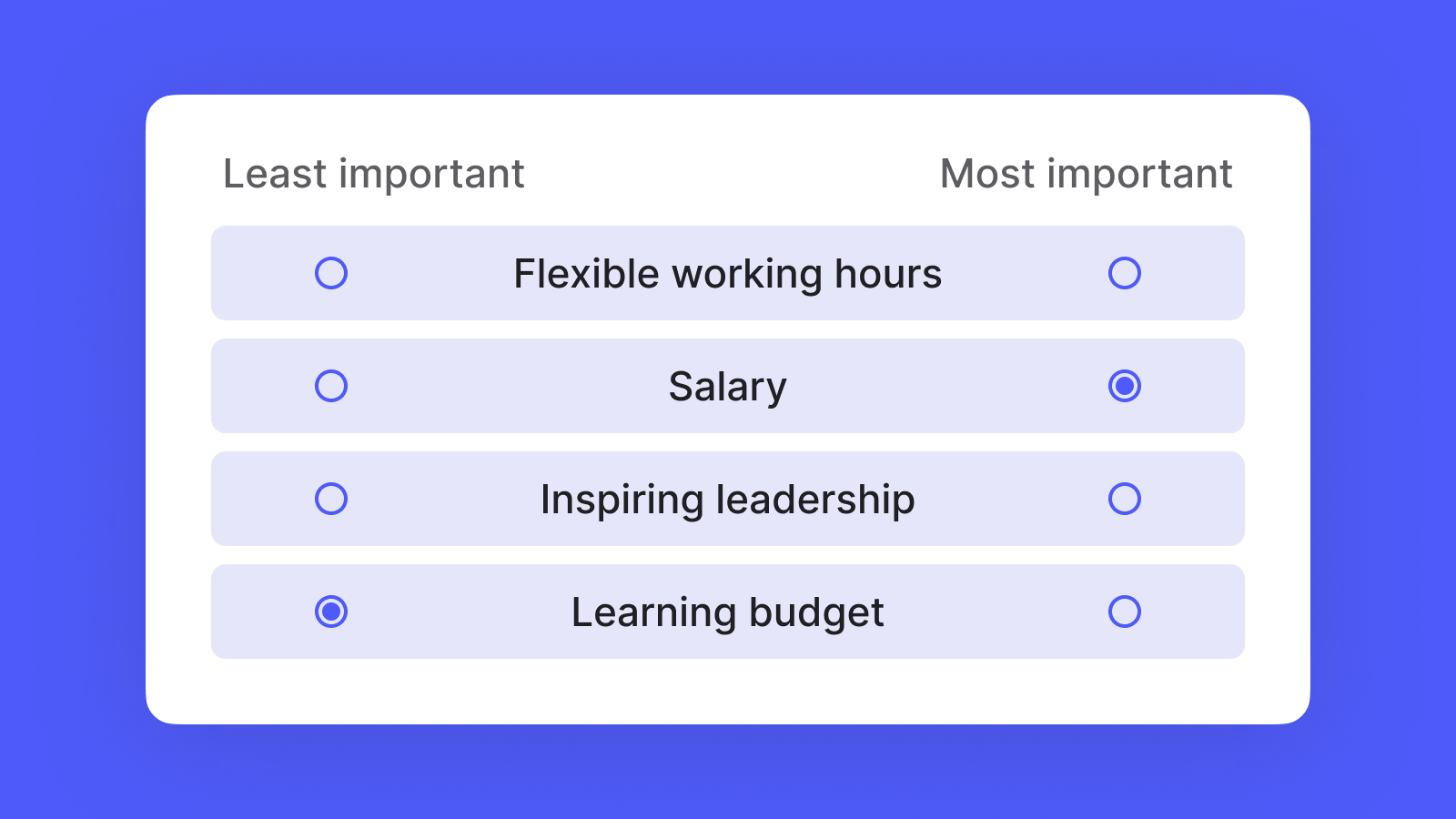
The subsets are not random. A well-formed design shows every item about the same number of times and rotates which items appear together, which is what makes the resulting scores comparable to each other. Respondents typically complete 8 to 15 sets.
Every set forces a tradeoff. A respondent cannot call everything important, because the format accepts only one “most” and one “least” per set. The information comes from the choices themselves rather than from where someone sits on a scale, which removes the scale use problem.
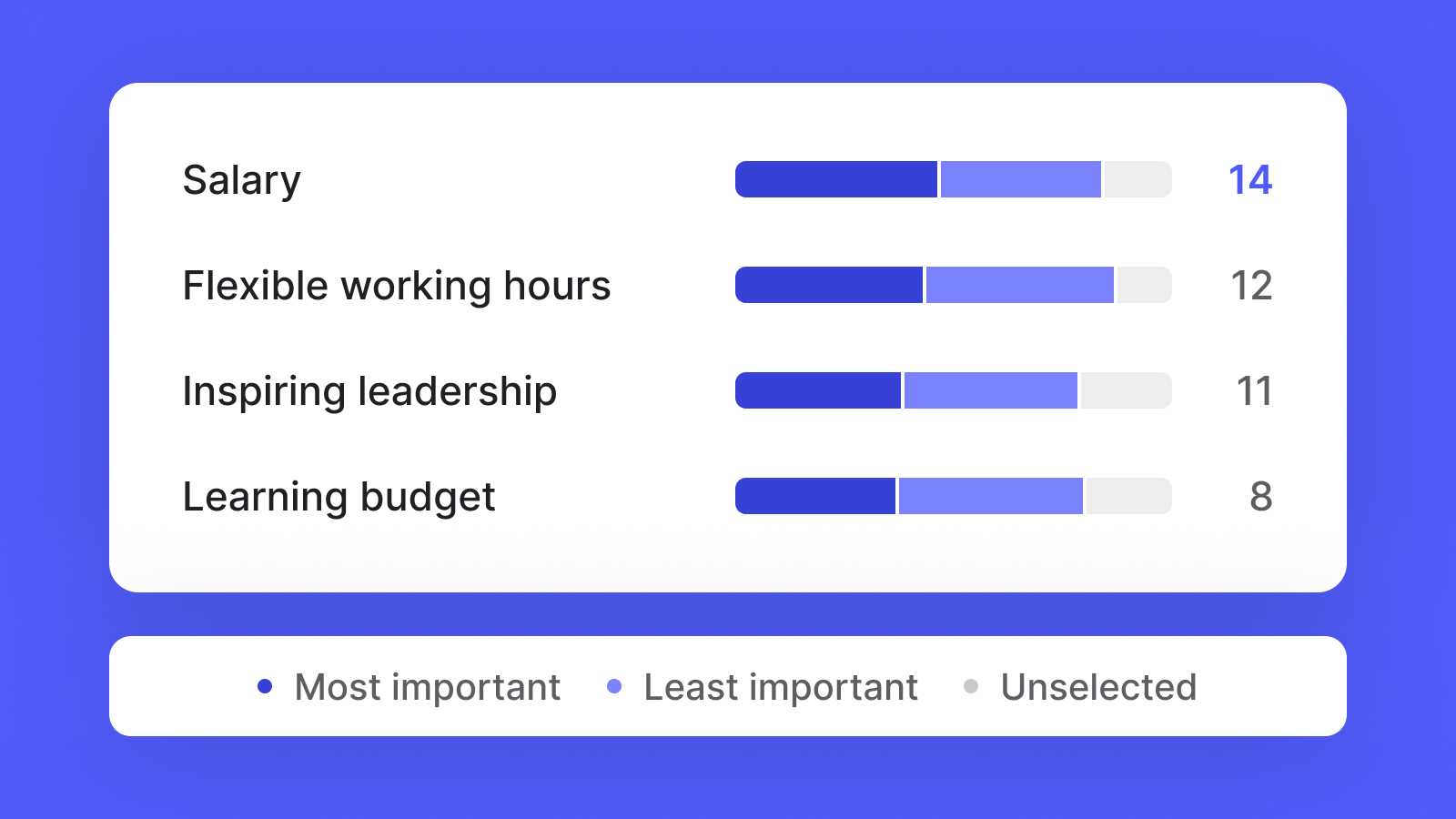
The output is a set of preference scores that sum to 100 across the list. Because the scores share a scale, the distances between them are readable: an item scoring 14 is worth roughly twice as much to the audience as an item scoring 7, which is a statement you can take into a roadmap meeting and defend.
When to use it, and when not to
Use MaxDiff when:
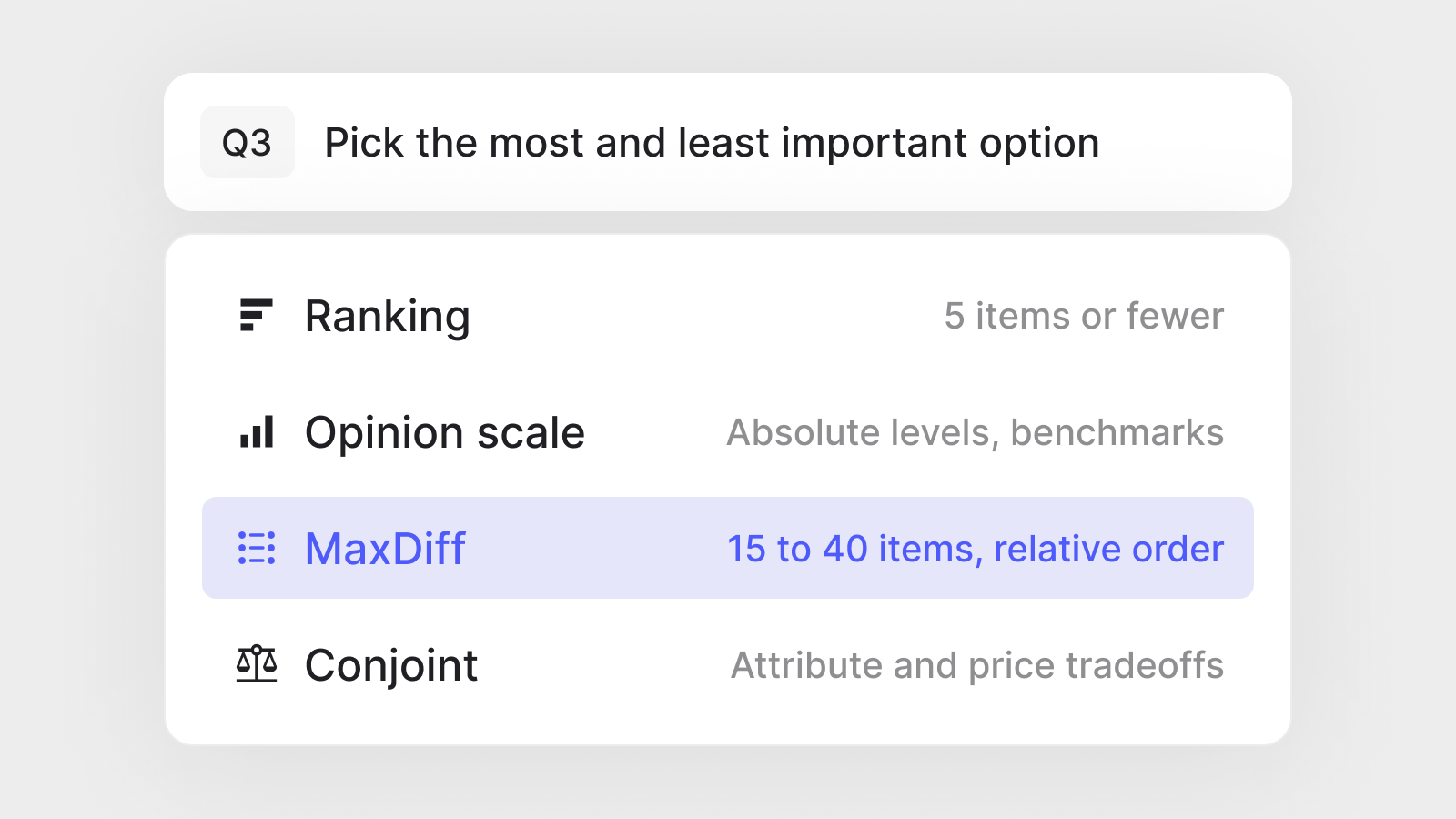
- You have roughly 15 to 40 items and need to know their relative order
- The items are comparable, meaning they sit at a similar level of abstraction. All features, or all claims, not a mix of both.
- The decision in front of you is about priority: what goes first, what gets cut, and what leads the message
If you need absolute levels rather than relative order, or you are tracking a measure over time against an established benchmark, use a rating scale. MaxDiff will tell you which item ranks first, not whether the audience cares about any of them.
If the list is short, roughly 5 items or fewer, use a ranking question. At that length a direct ranking is simpler and the fatigue cost is low.
If you are testing combinations rather than standalone items, for example a product configuration with a price attached, use conjoint. MaxDiff ranks items against each other, while conjoint models the tradeoffs between attributes and levels.
MaxDiff in Centiment
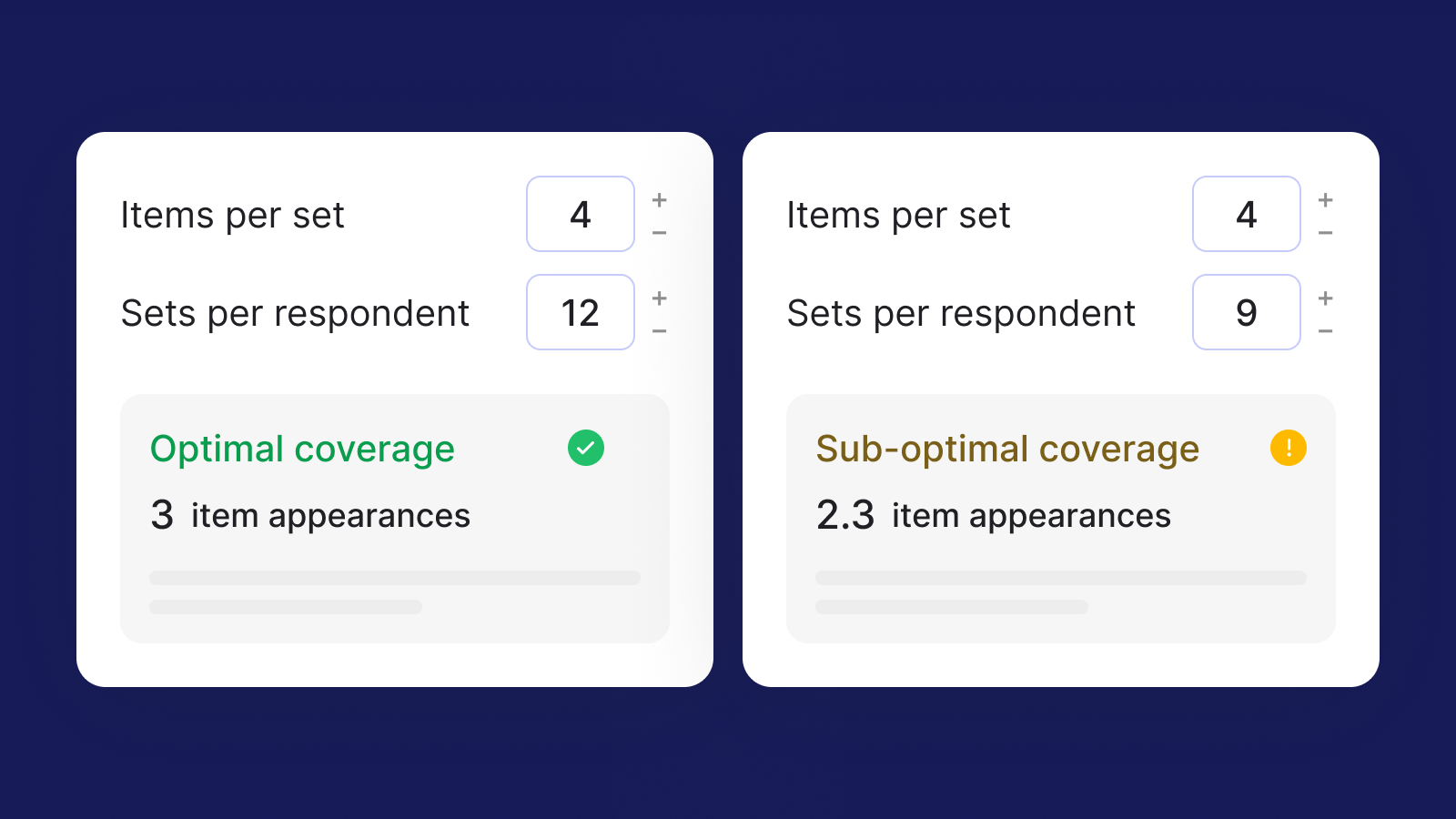
MaxDiff is now a question type in the Centiment Survey Platform. You build it the way you build any other question. Add your items, set how many appear per set and how many sets each respondent sees, and the platform generates the design and handles the rotation.
Those two settings decide coverage: how many times each item appears across the survey, which is what determines whether the scores come out stable. The builder calculates coverage as you work. Change the items per set or the sets per respondent and it recalculates the appearance count, shows the arithmetic behind it, and tells you whether the design lands in the recommended coverage range. It flags thin coverage before you field the survey, rather than leaving you to discover it afterward.
Results come back as ranked preference scores, ready to read without a separate analysis step. MaxDiff answers can also drive skip and display logic, quotas, and filters in Analyze.
You can build a MaxDiff question on any plan and see how the design works before committing to anything. Collecting responses requires the Advanced Methods add-on for the Professional plan.


